Oct
2009
I am reading ‹del>(continued)</del›
Good news! The original author of the plugin “I am reading”, Dominik Hanke, has contacted me and asked me if I would like to add my updated version, which I had first uploaded as a new project “I am reading (continued)”, to his original project. That will also make things easier for the many users who still have the old version of the plugin installed – this way they will be notified in the Wordpress backend that a new version is available at last.
Thus I recommend everyone who already has installed my “continued” version to download the plugin from here again sooner or later. At the moment, the version there is just the same that you are using now, but any future updates will be published there, so as long as you are using my “continued” version, you will not be informed automatically in the Wordpress backend.
I very much apologize for this little chaos, but this way it is definitely better for the future.
Update: Further information about the plugin is available here.
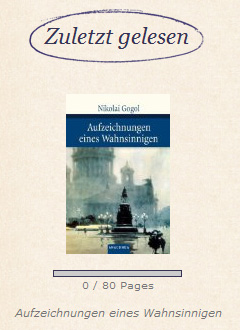
“I am reading (continued)” is a Wordpress plugin to display which book you are currently reading and how far you have already come. It is actually a continuation of the plugin “I am reading”, which stopped working after 15th August 2009, because Amazon implemented a new kind of authentication on that day.
Since the author “mifupa” doesn’t seem to maintain the plugin anymore (both the plugin homepage and his personal one are not available anymore) and I didn’t know how to contact him either, I simply fixed the plugin myself and uploaded it as a new project.
For the end user, only one thing has changed: If you want to use Amazon as data source, you must now enter your “Amazon Secret Key” in addition to your “Access Key”. You can find out your key here.

Gerd
Das Plugin funktioniert bei mir leider nicht. Den Secret-key habe ich eingetragen, aber er wird nicht als gültig erkannt. Ich weiß auch nicht, ob es eine gute Idee ist, das Feld dafür als Passwort-Feld zu setzen, denn dann wird der key nicht gespeichert und muss jedesmal neu eingegeben werden.
Ginchen
Eigentlich wird der einmal eingegebene Key immer automatisch wieder dort eingetragen.
Hattest Du evtl. vorher das alte “I-am-reading”-Plugin installiert? Wenn ja, dann liegt es nämlich höchstwahrscheinlich daran. Dann solltest Du einmal im Admin-Bereich von “I am reading” auf “Uninstall” klicken. Anschließend das Plugin einmal komplett deaktivieren und wieder aktivieren, damit es die Datenbanktabellen neu anlegt. Dann müßte es gehen.
(Inzwischen hat mich übrigens der ursprüngliche Autor des Plugins kontaktiert, sodaß es neue Updates in Zukunft wohl doch wieder unter der Original-Adresse geben wird: http://wordpress.org/extend/plugins/i-am-reading/ Im Moment ist die Version dort aber quasi genau die gleiche, die Du jetzt auch hast.)
Gerd
Habe ich alles schon versucht. Ohne Erfolg. Die fehlermeldung ist immer wieder “ungültiger Access Key”. Der kann aber nicht ungültig sein, denn ich habe ihn direkt von der amazon-Website gepasted. Feleingabe also ausgeschlossen. Schade, da kann man wohl nichts machen. Trotzdem danke für deine Mühe.
Ginchen
Das ist mir ein Rätsel – scheint aber nicht nur bei Dir so zu sein. Bei mir klappt komischerweise alles, ich habe das komplette Plugin gerade extra deinstalliert, gelöscht und nochmal neu von der Seite gezogen, und es läuft.
Da muß ich wohl mal auf Fehlersuche gehen… Wird nur schwer, weil bei mir ja kein Fehler auftritt. ^^
Ginchen
Bitte versuch es jetzt nochmal mit der neuen Version hier: http://wordpress.org/extend/plugins/i-am-reading/
Ich glaube, ich habe den Fehler gefunden.
Gerd
Der Secret Key wird jetzt genommen, dafür meckert das Plugin die ISBN an “ISBN ungültig”. Ich habs mit ISBN-10 und ISBN-13 versucht. *soifz*
Gerd
Ich weiß nicht, ob es dich noch interessiert, aber ich denke, ich habe den Auslöser für den ISBN-Fehler gefunden. Ich hatte es gestern mit einer amerikanischen ISBN-10 versucht, die mit einer Null beginnt. Die wird nicht akzeptiert. Eine deutsche ISBN-10, die mit einer 3 beginnt, schon. Nationalismus oder einfach ein Fehler in der RegExp?
Ginchen
Danke – genau das hat mir gestern auch Dominik, der ursprüngliche Autor, gesagt. Dieses Problem mit englischen Büchern ist ihm wohl schon länger bekannt. Seiner (und meiner inzwischen auch) Ansicht nach liegt das Problem dabei irgendwo bei Amazon, sodaß wir nichts dran ändern können. Einen RegEx zur Kontrolle der ISBN hat das Plugin in dem Sinne gar nicht. Die Fehlermeldung wird – trotz vollkommen korrekter ISBN – direkt von Amazon ausgegeben, wenn man den Request schickt.
Es müßte aber klappen, wenn Du für solche Bücher dann behelfsweise das Land z.B. auf “United Kingdom” stellst anstatt “Germany”. (Also tatsächlich Nationalismus ;))
Sally
Hallo,
bei mir HAT das PlugIn auch nicht mehr funktioniert, eben wegen der Änderung am Key. Daraufhin habe ich auch dem Support geschrieben aber nie eine Antwort bekommen. Mir blieb da nichts anderes übrig als es zu deaktivieren. Dabei finde ich, dass es ein ziemlich nützliches Plugin ist, vorallem für mich, weil ich in erster Linie einen Buchblog habe, in dem auch steht, was ich gerade lese.
Jetzt habe ich nachgesehen, ob i-am-reading vielleicht aktualisiert wurde und siehe da, deine Version des Plugins funktioniert perfekt. Vielen Dank dafür
Betsy Finn
First of all, I love the little progress bar that shows how much of the book has been read. Such a great idea!
Two “wish list” items that would make this plugin even better:
Is there any way to list more than one book at once with this plugin (i.e., I am right now reading 5 books simultaneously).
Also, I would love to see the ability to track completion dates and past books that I’ve read.
Ginchen
Hello!
I’m afraid it’s not possible to display more than one book at once at the moment. On one hand, your suggestions are good and would indeed improve the plugin. But on the other hand, the plugin has originally been written by Dominik Hanke, because he had been looking for a very simple “book reading plugin”, and found that the other ones that were available had more functions than he really wanted and needed. So it would kind of miss the point, if all that stuff would be added.
Then again, he is planning to work on the plugin and add more features. So I will just tell him your suggestions, and we’ll see where it leads.
However, there is an addon that might be exactly what you are looking for: Now Reading Reloaded. You can set up a whole library there by entering current books, finished books and planned books.
Sevvy
I am having a problem getting the plug-in to work. I have deleted and installed it four times now and anytime I try to get to the settings page for the plug-in I get the following:
Warning: file_get_contents(http://ecs.amazonaws.com/onca/xml?AWSAccessKeyId=admin&AssociateTag=&IdType=ISBN&ItemId=9780618391110&Operation=ItemLookup&ResponseGroup=Medium&SearchIndex=Books&Service=AWSECommerceService&Timestamp=2009–11–07T16%3A21%3A51Z&Version=2009–03–31&Signature=eYkhcVr4zVuzsSrSISZuVVmD2JIQ2XlIF3MpCXYAWVI%3D) [function.file-get-contents]: failed to open stream: HTTP request failed! HTTP/1.1 403 Forbidden in/var/www/html/ca/camelblog.com/wp-content/plugins/i-am-reading/includes/class.awsBooks.php on line 118
Fatal error: Uncaught exception ‘Exception’ with message ‘String could not be parsed as XML’ in/var/www/html/ca/camelblog.com/wp-content/plugins/i-am-reading/includes/class.awsBooks.php:136 Stack trace: #0/var/www/html/ca/camelblog.com/wp-content/plugins/i-am-reading/includes/class.awsBooks.php(136): SimpleXMLElement‑>__construct(’’) #1/var/www/html/ca/camelblog.com/wp-content/plugins/i-am-reading/includes/class.iAmReading.php(393): awsBooks‑>getBook() #2/var/www/html/ca/camelblog.com/wp-content/plugins/i-am-reading/includes/class.iAmReading.php(295): iAmReading‑>setBookCache() #3/var/www/html/ca/camelblog.com/wp-content/plugins/i-am-reading/i-am-reading-admin.php(30): iAmReading‑>getBook() #4/var/www/html/ca/camelblog.com/wp-admin/admin.php(105): include(’/var/www/html/c…’) #5/var/www/html/ca/camelblog.com/wp-admin/options-general.php(10): require_once(’/var/www/html/c…’) #6 {main} thrown in/var/www/html/ca/camelblog.com/wp-content/plugins/i-am-reading/includes/class.awsBooks.php on line 136
Help!!
Sevvy
Ginchen
For some reason, you seem to have entered “admin” as your Amazon Access key. The quickest way to resolve this: Disable the plugin again, then use phpMyAdmin to go into your wordpress database and just DELETE the whole
wp_iar_configtable. Enable the plugin again and start from a fresh installation.This time, take care: If you have set your browser to store passwords, it will again try to fill out the fields with “admin” and a wrong password! Put your Access and Secret Keys here instead.
Sevvy
Thanks SO much for the information. I just realized something – there is no way to have this show up sans sidebar widget is there? My template is not widget enabled, so I want to make sure I am not missing a code that I CAN use.
Ginchen
I’m not sure if I understand you right – you mean you want to put the code directly in your template? If so, try this:
Sevvy
You are a goddess! Danke.
Samceline
Hallöchen
Tja… in den Pluginordner geladen… aktiviert.. und nun…. jetzt wird mir angezeigt:
Genau dieses Plugin habe ich gesucht
I am reading: PHP Version 5.2 or higher is required!
Kannst Du mir da jetzt helfen?
Bin aber noch eine Anfängerin .. naja.. ein paar Sachen kann ich schon
LG.. Kirsten
Ginchen
Also, das bedeutet, daß Dein Webserver im Moment auf einer niedrigeren PHP-Version als 5.2 läuft. Das Plugin benötigt aber mindestens 5.2. Wenn ich das richtig sehe, bist Du bei all-inkl.com? Wenn ja, dann kannst Du das mithilfe einer
.htaccess-Datei ändern, wie es hier beschrieben ist.Samceline
Danke schön für Deine Hilfe..
Jau.. bin ich … werde mir das sofort angucken und dann versuchen hinzubekommen
LG… Kirsten
Samceline
Mich doch nochmal ganz herzlich für die Hilfe bedanken… Interner Serverwechsel hat geklappt und Plugin funzt *froi*
LG.. Kirsten
Ginchen
Schön.